Agentic Drafting for Legal Professionals
Helping legal professionals create court-ready documents faster with AI, guided inputs, and built-in checks.

About
VetoAI is a legal platform that helps lawyers, CAs, and government departments research cases, analyze legal information, and draft documents faster.
Organisation
VetoAI
Year
‘25 - Present
My Role
Sr. Product Designer, AI
Website
www.vetoai.ai
Team
Amol Navghane (Engineering Manager)
Ganesh Satpute (Senior Frontend Developer)
Shridhar Yadav (AI/ML Engineering Manager)
Kaiwalya Bidkar (Lead QA Engineer)
Overview
Legal drafting is often slow, repetitive, and requires lawyers to manually organize case details and prepare documents.
Although VetoAI already had a drafting workflow inside Notebook, users rarely used it. Instead of redesigning the tool, I focused on understanding why users weren't using it. By studying user workflows and feedback, I designed an AI drafting experience that made document creation faster and easier.
Testing showed that lawyers could draft documents faster and more consistently. The same drafting approach was later used for GST and tax use cases.
68%
Reduction in manual drafting effort.
3 min 17 sec
Average first draft generation time.
4,200+
Drafts generated across active users.
85%
Drafts finalized with only minor edits.
Context
Every product has features that solve real problems but fail because users struggle to discover them.

Existing Drafting Workflow
Challenge
The platform already supported document drafting through the Notebook module, but it was difficult to find. Users had to go through several steps before they could start drafting, making the process slow and repetitive. As a result, many users didn't even know the feature existed.

Business Problem
From a business perspective, the drafting feature was rarely used, reducing the value of an existing product capability. At the same time, competitors were making AI features more visible, while ours remained hidden. The goal wasn't just to add AI, but to make drafting easier to find and use.
Low Adoption
Existing drafting capability remained underutilized.
Low ROI
A valuable feature delivered limited business impact.
Weak Product
AI capabilities were less visible than competitors.
Improve feature
Increase usage by improving discoverability.
Research
Before designing a solution, I wanted to understand why users weren't using the drafting feature. Instead of assuming they needed better AI, I focused on how they currently worked and where they faced challenges.
User Interviews
Heuristic Evaluation
User Feedback


User Pain Points
"I create the same documents over and over, and it takes too much time."
"It takes too many steps just to start drafting."
"I spend too much time gathering case details before I can start drafting."
"I need drafts based on my case, not generic research."
Key Insights


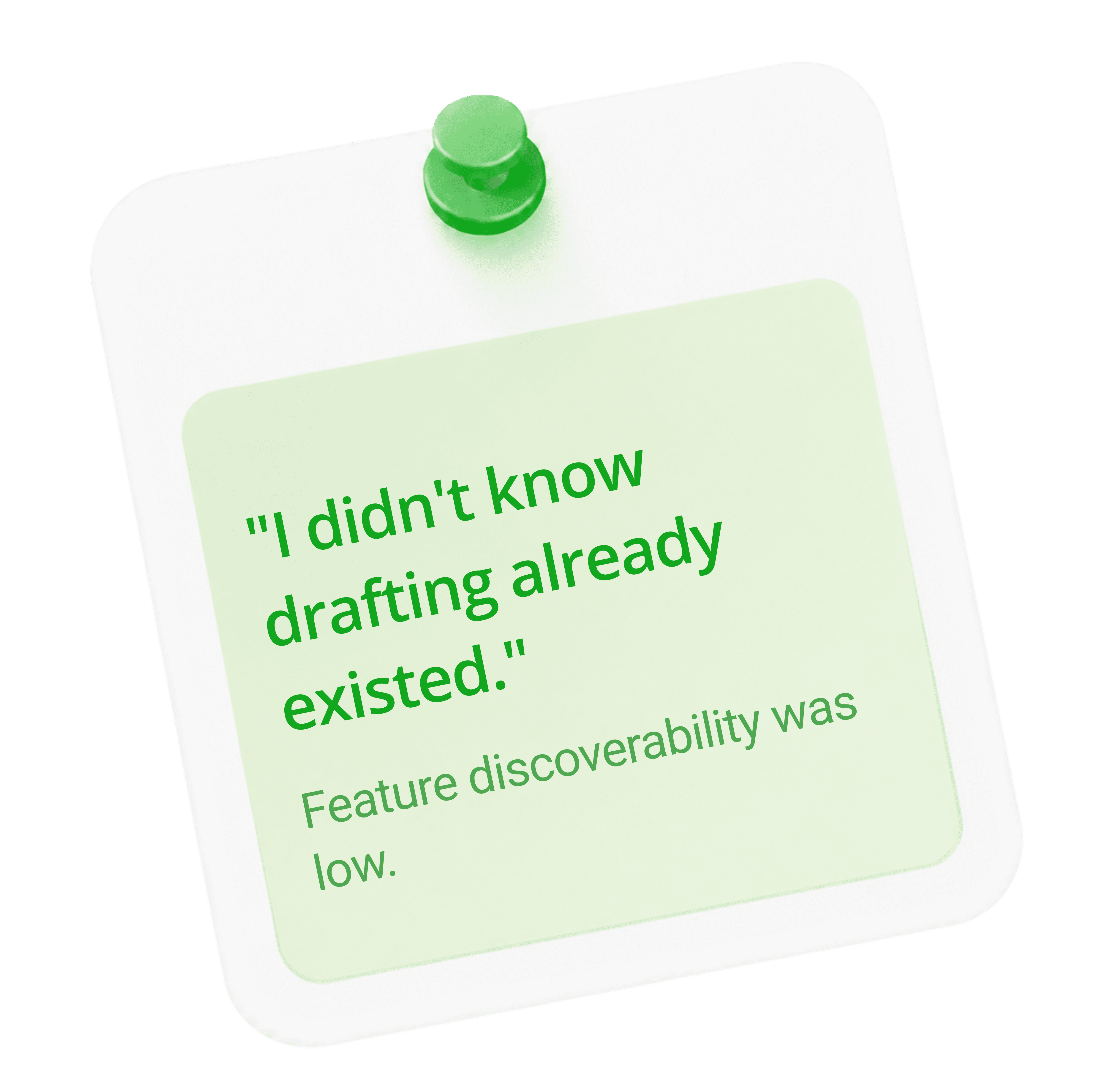
Competitive Analysis
I reviewed leading legal AI platforms to understand how they approached AI-assisted drafting and user workflows. This helped identify common patterns, usability gaps, and opportunities to create a simpler drafting experience.





Opportunity
The research changed the direction of the project. Instead of redesigning Notebook, I focused on making drafting easier to find and use. This became the foundation for Agentic Drafting.
Problem Statement
How might we make drafting easy to access without changing the existing Notebook experience?
After sharing the research insights with stakeholders, we aligned on keeping Notebook for detailed editing while introducing Agentic Drafting as the fastest way to create a first draft.
Increase discoverability
Reduce navigation
Lower cognitive load
Introduce user guided AI workflow naturally
Explorations
The design went through multiple rounds of testing and improvements, with each iteration solving key usability issues found during user research.

1. Chat-only drafting
Users couldn't review case details or add important supporting information before generating a draft.

2. Auto-draft on upload
Without capturing the user's intent, the generated drafts often didn't match what they actually needed.

3. Upload-first
Focused on faster drafting but didn't give users enough control before generating the draft.

4. User First Drafting
Converts uploaded files and templates into structured information to create more relevant legal drafts.
Iterations
I explored multiple ideas to simplify the drafting experience. After several iterations, the two strongest concepts were shared with the team and stakeholders for feedback, which helped shape the final solution.

1. Upload Before Drafting
This concept was rejected because it showed too many options at once, making it harder to use. It also introduced technical challenges, as the upload component was difficult to update after a file was added.

2. Context-First Drafting
Helps users add the right information before generating a draft, resulting in more relevant and reliable outputs.
Solution
After finalizing the direction, each iteration solved a specific user problem, gradually shaping a guided AI drafting experience that made document creation faster, easier, and more accurate.
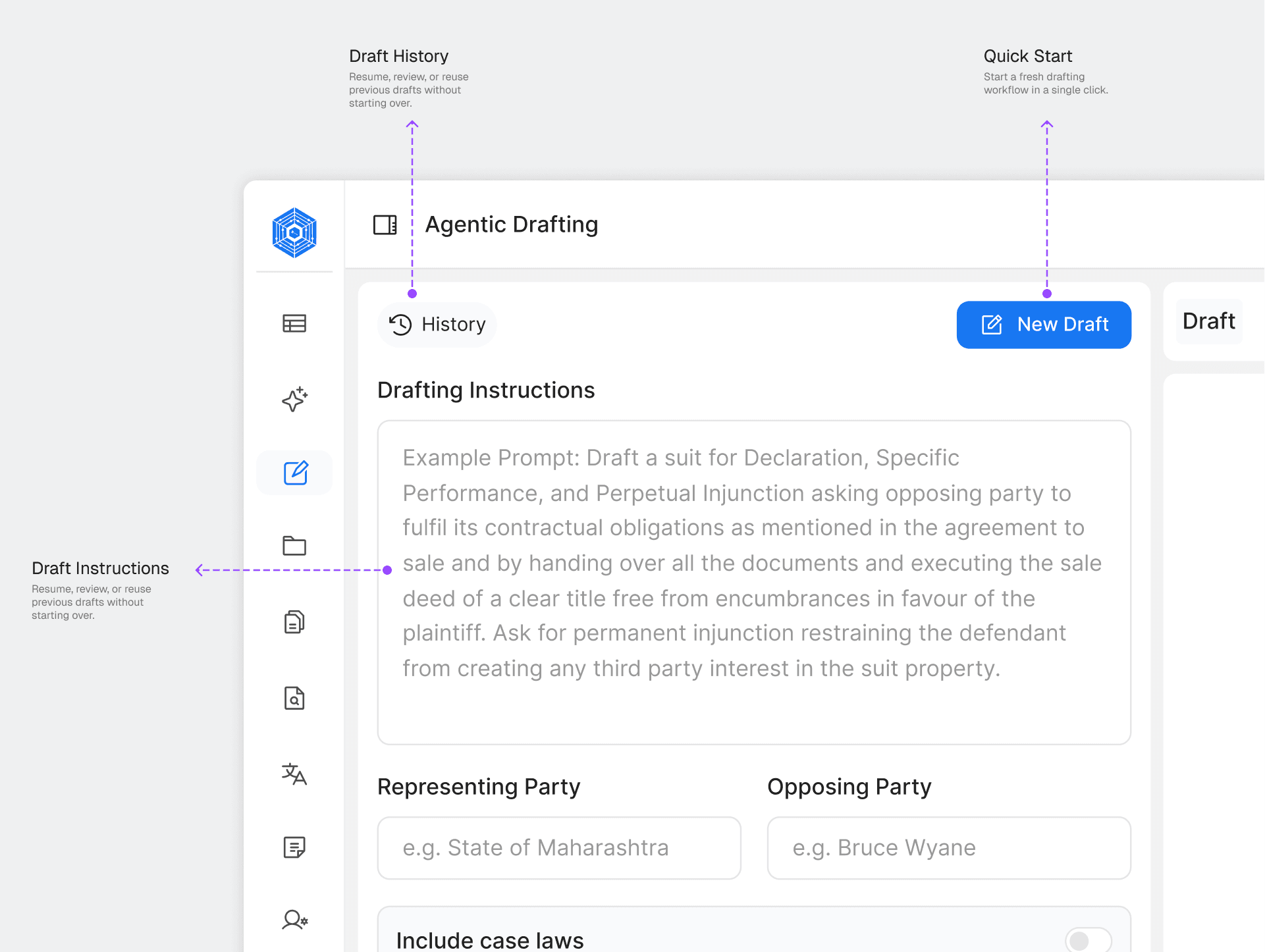
1. Simplified Entry Point
Problem Identified
Users had to create a new file every time they wanted to draft, adding extra steps and making the feature difficult.
Solution
Added a prominent "New Draft" button and draft history on the context panel for quick and easy access.
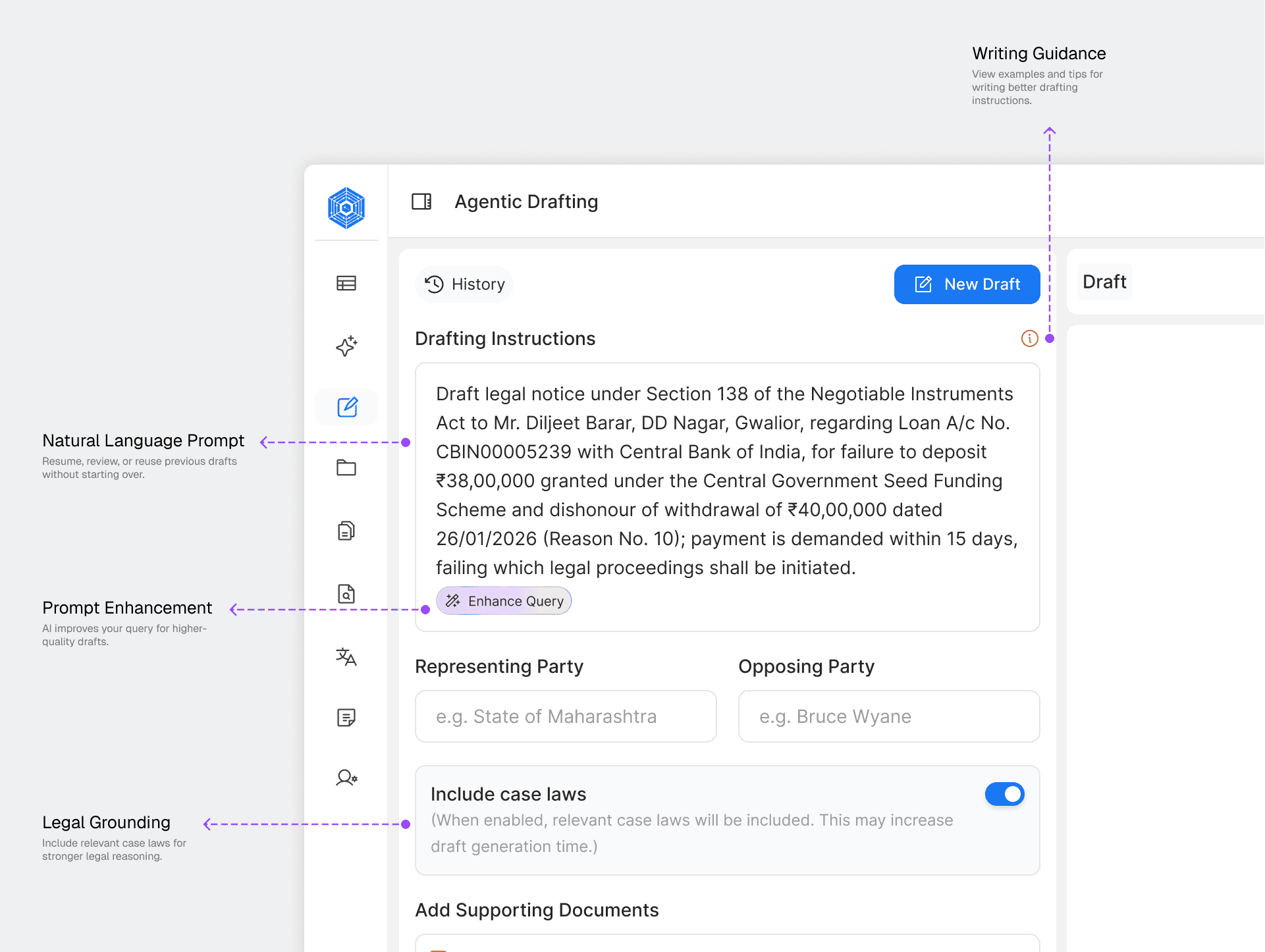
2. Guided Draft Intent
Problem Identified
Users found it difficult to write clear prompts, which often resulted in poor drafts.
Solution
Added a structured prompt input with an "Enhance Query" feature to help users write better instructions.

3. Case Context Collection
Problem Identified
The AI lacked enough case information to generate accurate and relevant drafts.
Solution
Added a guided form to capture parties, case details, supporting documents, and legal references before drafting.

4. Draft Review Experience
Problem Identified
Lawyers wanted to review and refine drafts before using them.
Solution
Designed a review workspace with editing, regeneration, saving, and source references for greater control.
The Final Workflow
The final solution combined AI guidance with manual editing, allowing users to generate and refine legal documents without leaving the drafting workflow.


Flexible Drafting Experience
Users can provide meaningful context through their own instructions and collaborate with the AI Drafting Agent for iterative edits and refinements. Both experiences are unified within a single workspace, enabling seamless switching between guided drafting and manual control without losing progress.

Human-in-the-Loop Workflow
After users submit their instructions, the workflow automatically switches to the Drafting Agent. The AI asks follow-up questions to gather missing case details, resulting in a more accurate and relevant draft.

Used reusable VetoAI Design System components and interaction states to create a consistent and reliable drafting workflow.

Built reusable components for prompts, forms, file uploads, and AI conversations to ensure a consistent, scalable experience.
Designed states, from analysis to draft generation, helping users understand what the system is doing and what happens next.
Designed AI states using the AI globe to visualize processing during analysis, context, verification, and draft generation.

Added a confirmation flow before deleting drafts to help prevent accidental data loss while keeping the workspace organized.
UX Improvements
Reduced navigation "Clicks" from 6 Step interactions to 2 Step.
Lowered cognitive effort by simplifying the path to draft creation.
Reduced context switching between product modules.
Designed AI Collaborative assistant with transparency.
Feature Impact
Agentic Drafting introduced a lightweight drafting experience directly into user's workflow. The experience removes unnecessary navigation while preserving the depth of drafting workspace.
68%
Reduction in manual drafting effort.
3 min 17 sec
Average first draft generation time.
4,200+
Drafts generated across active users.
85%
Drafts finalized with only minor edits.