Finding Critical Information Without Opening Documents
AI-powered metadata workspace that helps legal professionals find important information across large document collections without opening every file.

About
VetoAI is a legal platform that helps lawyers, CAs, and government departments research cases, analyze legal information, and draft documents faster.
Organisation
VetoAI
Year
‘25 - Present
My Role
Sr. Product Designer, AI
Website
www.vetoai.ai
Team
Amol Navghane (Engineering Manager)
Pratik Khairnar & Vishal Mulgir (Senior Frontend Developer)
Shridhar Yadav (AI/ML Engineering Manager)
Kaiwalya Bidkar (Lead QA Engineer)
Overview
Legal matters often contain hundreds of documents, making it difficult to locate specific information quickly. Instead of relying on users to search through files manually, I explored how AI could surface the most relevant information at the folder level while keeping the experience transparent and easy to verify.
By shifting the experience from browsing documents to browsing information, the solution reduced manual effort, improved discoverability, and helped users locate critical information faster while maintaining confidence in AI-generated metadata.
3.1×
Users identified relevant case details much faster
93%
Metadata approved without edits
6,500+
Metadata fields generated
82%
Reduction in manual search effort
Context
As document volumes grow, finding critical information becomes harder because users must manually open, scan, and compare multiple files.
Challenge
As customers uploaded more documents, information became scattered across large and often repetitive file collections. Manual document review quickly became a bottleneck, creating the need for a scalable way to organize and surface critical information.
Search Limitations
Keyword search lacked structure and context.
Manual Review
Finding information required opening and scanning multiple files.
Duplicate Information
The same facts appeared across multiple files.
Scattered Information
Critical details were buried across hundreds of documents.
Before designing a solution, I explored how legal professionals currently find information, evaluated competitor approaches, and experimented with different interaction models.
1. Workflow Analysis
Understand how users locate critical information across document-heavy matters.

8–12 Documents per Search
Users typically opened multiple documents before finding the information they needed.
76% Document Review Time
Most of the workflow was spent opening, scanning, and reviewing documents instead of analyzing information.
Frequent Context Switching
Constantly moving between documents interrupted focus and slowed legal research.
2. Information Mapping
Identified the key information users needed most often to enable faster filtering and document review.

Key Insights

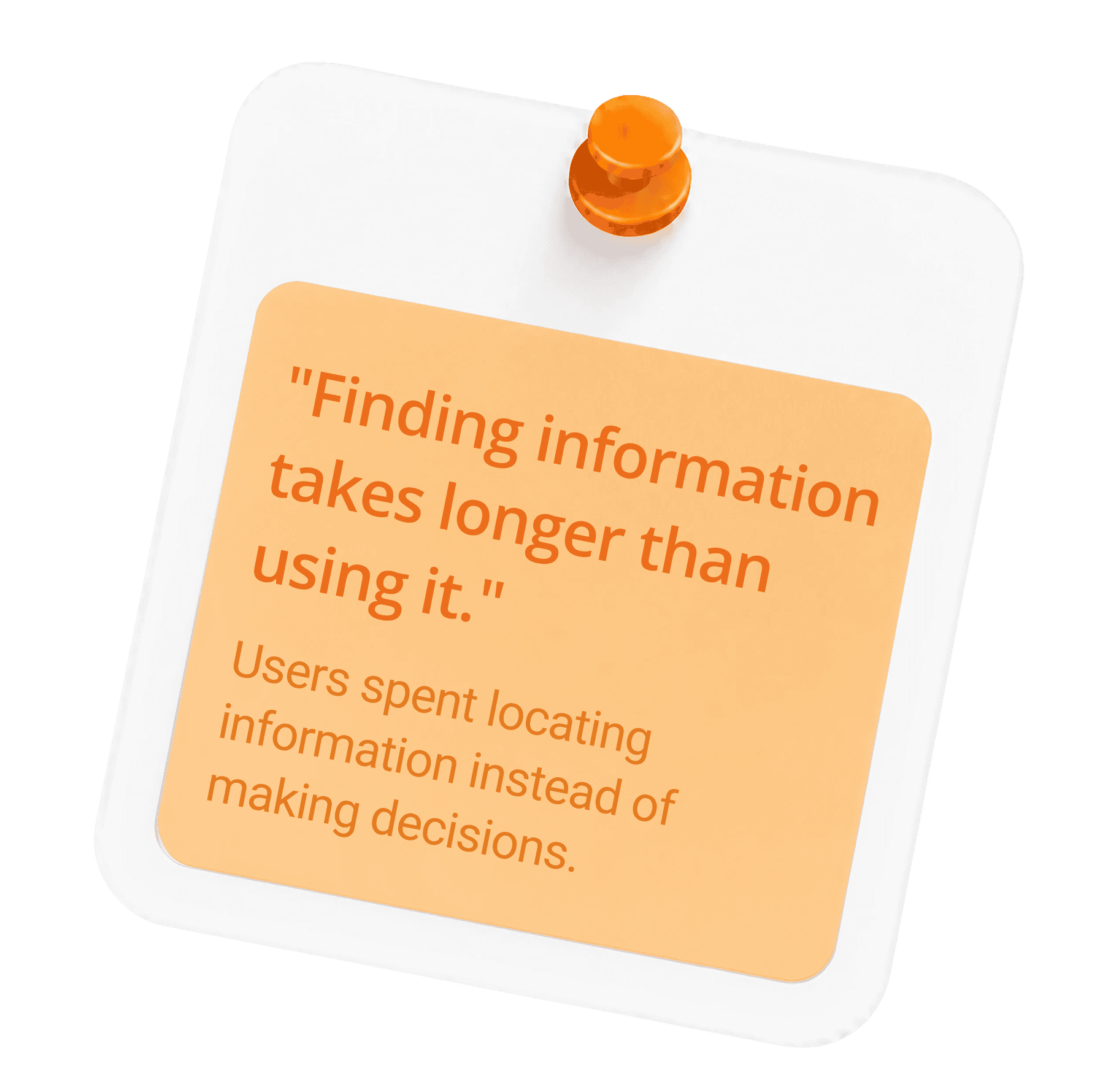

Problem Statement
How might we help users locate relevant information without opening multiple documents?
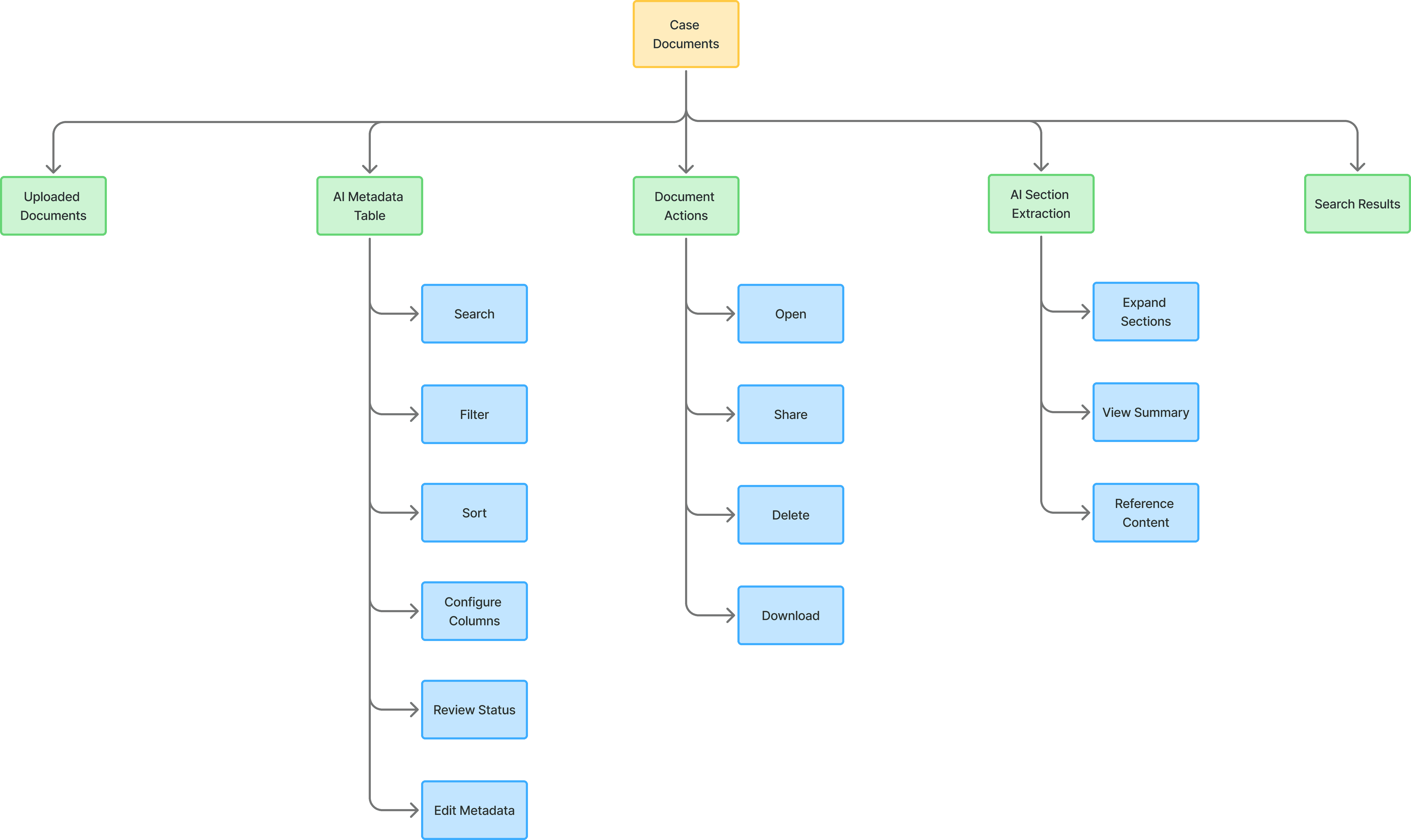
Information Architecture
I mapped the top level information architecture to understand how information should move through the system. This helped align stakeholders early, reduce design iterations, and focus on creating an information-first experience instead of simply improving document navigation.
Shift the experience from document-centric navigation to information-first discovery. Design an AI-assisted workflow that automatically extracts structured metadata while giving users complete control to review, edit, and confirm the results.
Make important document details visible at a glance.
Scale Document Intelligence
Reduce the time spent locating information during legal research.
Balance AI automation with transparent user validation.
Solution
Further refining the information architecture helped simplify the user flow, reduce complexity, and create a more focused information-first experience.
Every extracted field passes through AI Generated, User Reviewed, and Confirmed states to ensure accuracy and user confidence.

Configure
Define what information should be extracted.
Generate
AI extracts and previews metadata automatically.
Manage
Review, edit, and maintain metadata fields over time.

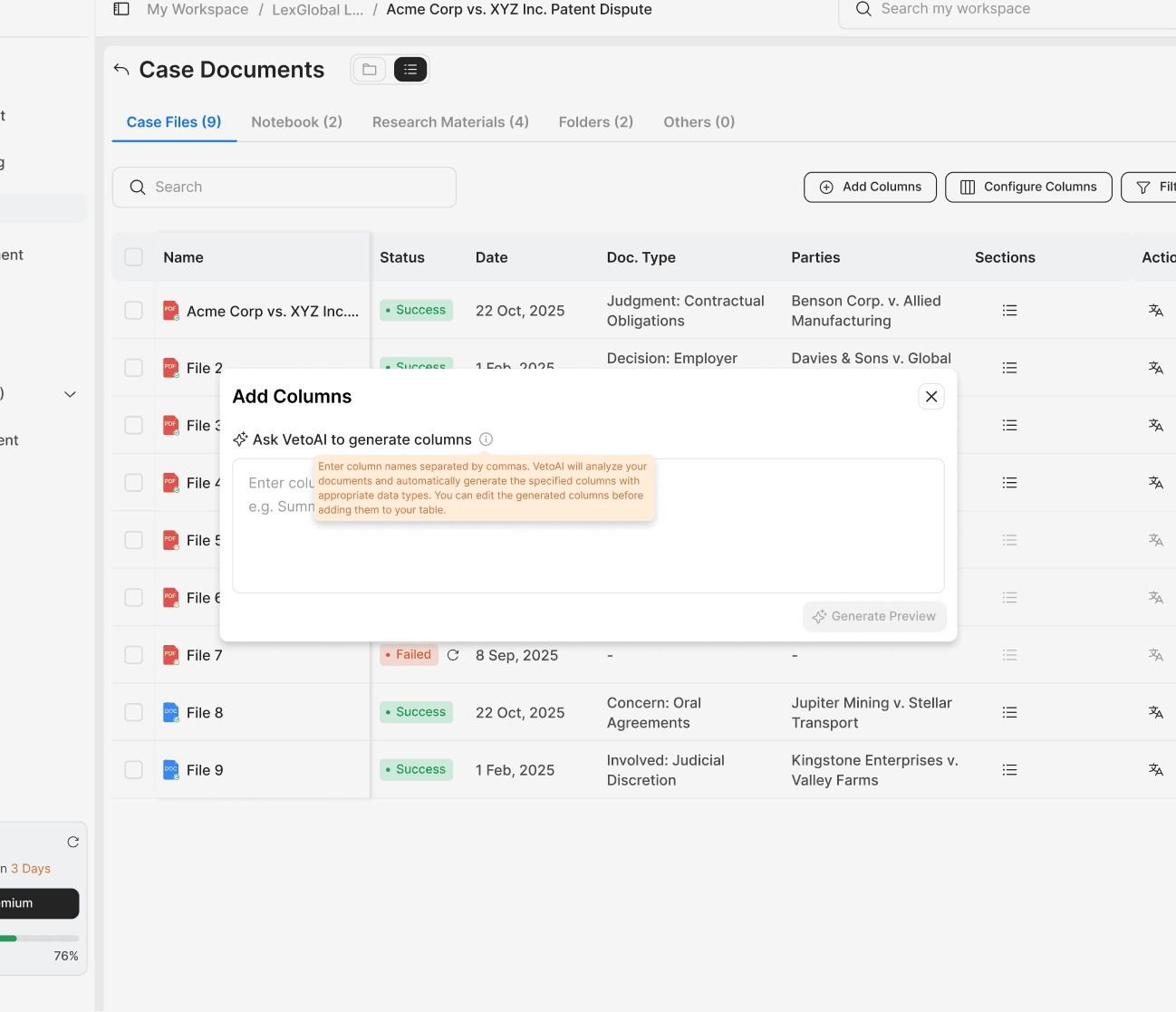
Contextual help appears on hover, explaining how AI generates metadata columns and what users should provide.

AI analyzes uploaded documents and generates a preview of the requested metadata fields.

AI detects duplicate metadata labels and lets users review, edit, or remove them before creating searchable columns.

Users can show or hide metadata columns to tailor the workspace to their research needs and reduce visual clutter.

Custom Columns
Users click + Add Column, enter a keyword or phrase, and the system automatically pulls the relevant data into your table.
AI-Powered Prompt Builder
The AI converts keywords into an optimized search prompt, allowing user to review, edit, and approve the logic, no prompt engineering required.
Customize Your View
Select the most relevant metadata fields and reorder columns for faster document review.
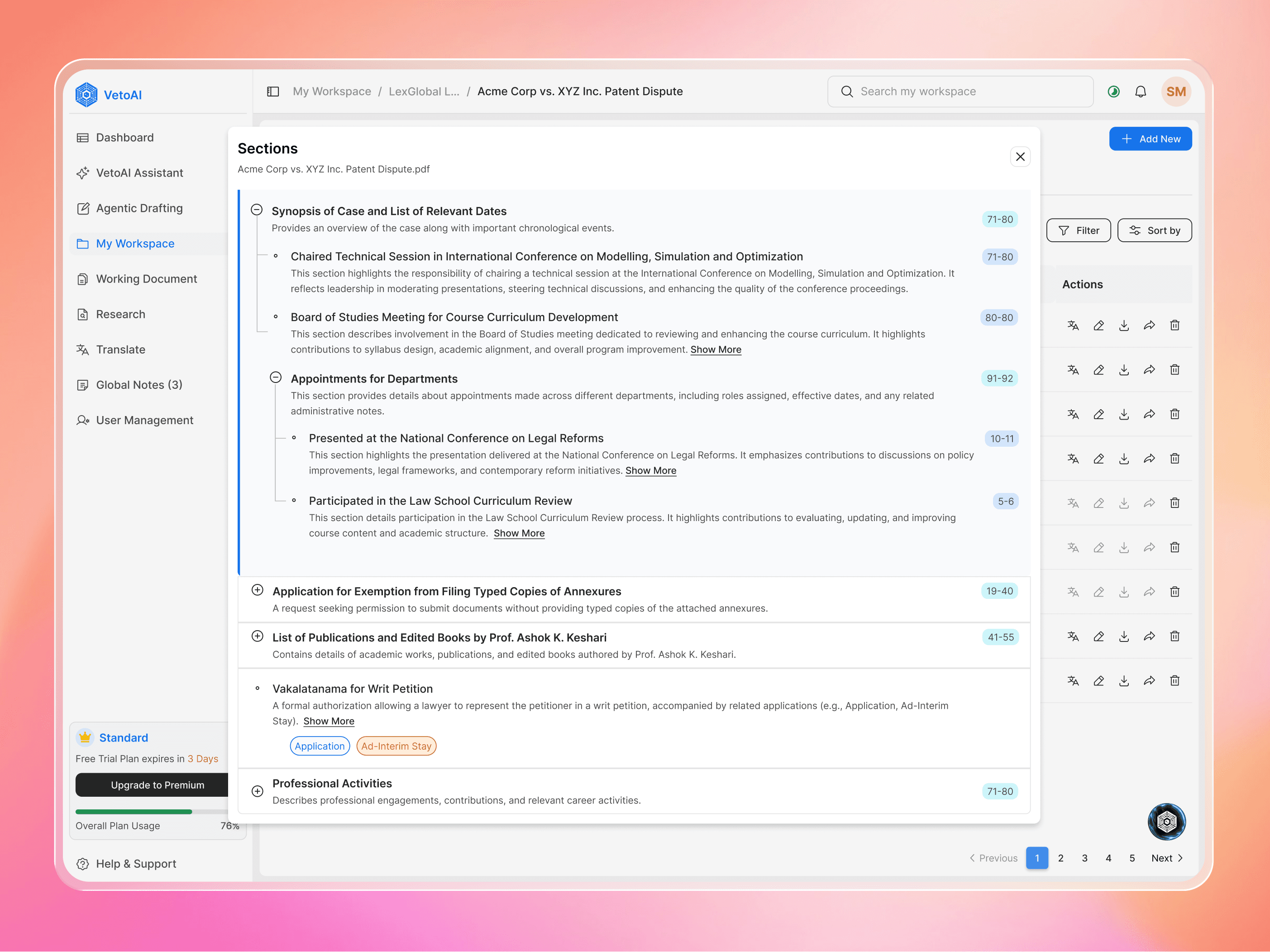
Auto-Extracted Document Sections
Users can instantly access AI-extracted document sections, making it easy to navigate, review, and reference relevant content without reading the entire document.
UX Improvements
Reduced repetitive document navigation.
Surfaced important information at the folder level.
Balanced AI automation with transparent user review and editing.
Enabled quick filtering and comparison using structured metadata.
Feature Impact
The metadata workspace transformed dense document collections into structured, searchable information. Users spent less time searching, discovered information faster, and gained greater confidence in AI-assisted document review while creating a scalable foundation for future AI experiences.
3.1×
Users identified relevant case details much faster
93%
Metadata approved without edits
6,500+
Metadata fields generated
82%
Reduction in manual search effort